TL;DR
Free online mock interview tools—ranging from AI copilots like Qcard and voice analyzers like Google Interview Warmup to peer role-playing platforms like Aced Practice (Pramp)—allow candidates to rehearse realistic questions in a low-stakes environment. To maximize results, practice under realistic conditions, evaluate answer structure and delivery against the job description, and iterate on specific weaknesses rather than aiming for a superficial high score.
A candidate finishes a mock interview, gets a score, and still can't tell whether the answer was specific, well structured, or convincing. That's the problem with practice that measures activity instead of helping you make a better next attempt.
Free mock interview practice online works best when you choose a tool for a clear purpose, complete the interaction under realistic conditions, and compare its feedback with the job description. Then repeat the same question while changing one thing. For example, record an answer about a class project, revise only the opening so your role is clear, and compare the new transcript with the original.
The options below range from private solo rehearsal to adaptive AI conversations, peer role-play, technical practice, and coaching available through schools or other institutions. They aren't all free in the same way. Some provide a free practice tool, some limit free access, and others cost nothing only if an organization gives you access.
For medical candidates, the interview format matters as much as the question. This guide to medical interview formats can help you choose practice that fits the interview you're preparing for.
How to Get the Best Mock Interview Practice Online Free
Mock interview practice online free refers to using zero-cost or free-trial digital tools, AI platforms, and peer networks to simulate real job interviews from home. Effective free practice relies on selecting the right tool for your specific goal and following a structured review loop:
1. Top Free Options by Practice Type
- AI & Resume-Grounded Practice (Qcard): Ideal for behavioral, technical, and industry-specific mock interviews tailored directly to your resume and target job description.
- Low-Pressure Speaking Practice (Google Interview Warmup): Best for practicing responses aloud, reviewing instant transcripts, and catching speech habits without the pressure of a letter grade or score.
- Live Peer Technical Practice (Aced Practice / Pramp): Best for technical candidates (software engineering, data science) who need live interaction, peer feedback, and whiteboarding practice.
2. How to Practice Effectively Online
- Simulate Real Conditions: Answer questions out loud under time limits without reading off a written script.
- Review & Identify One Fix: Examine your transcript or audio to identify a specific weakness—such as long-winded answers, excessive filler words, or missing result metrics.
- Repeat Immediately: Re-record your answer applying that single fix until your response is concise, structured, and impactful.
1. Qcard
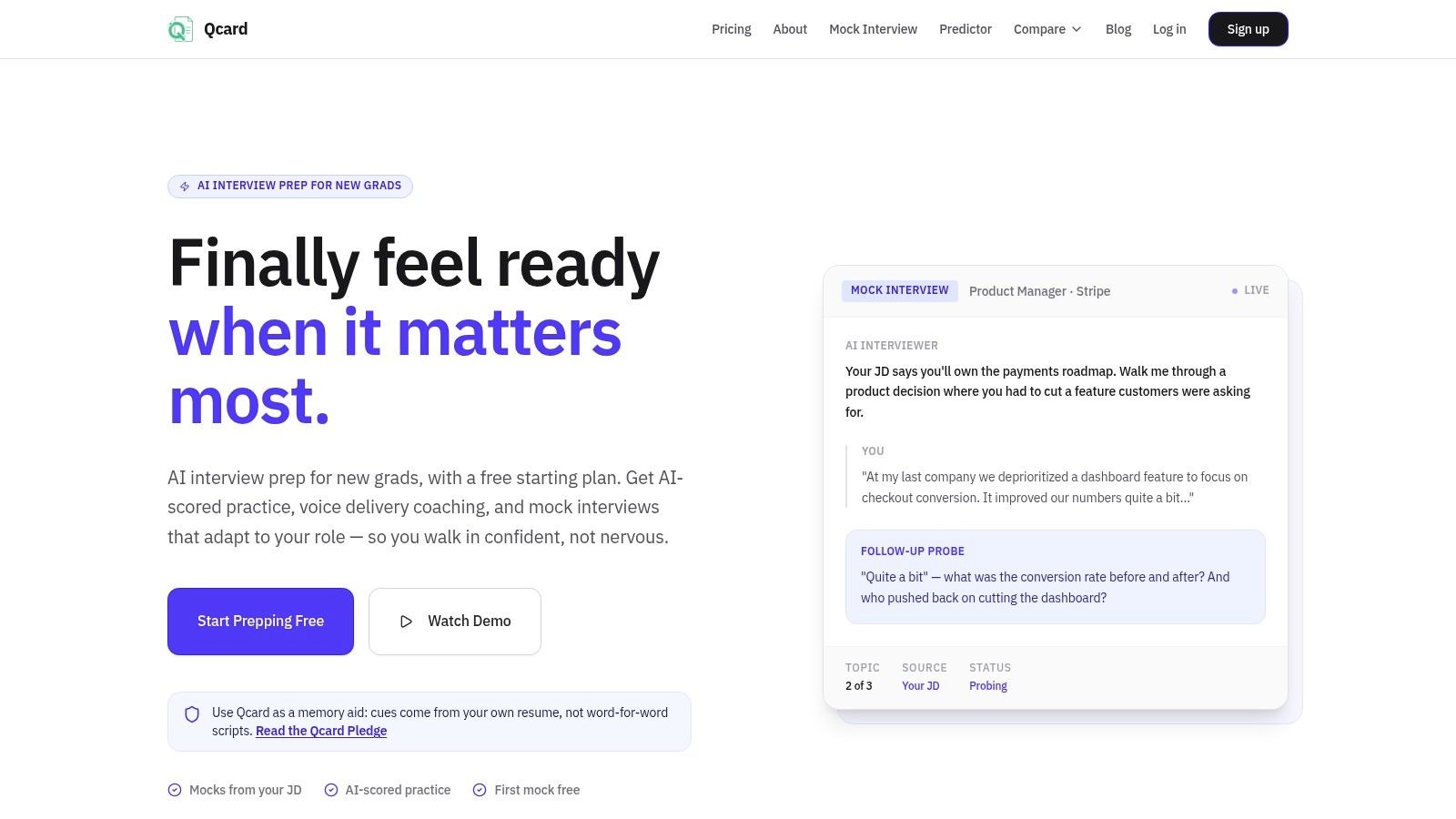
Qcard fits candidates who want practice built on their own experience. You upload your resume, then run mock interviews against a job description or target company. The toolkit covers behavioral, consulting, banking, cybersecurity, product, and coding formats.
The scoring and Voice Delivery Coach flag problems you can fix directly: answer structure, pacing, filler words, and length. Full, Mini, and Phone modes match different preparation setups, and the product is designed to work alongside Zoom, Google Meet, HireVue, and coding interview platforms. You get concise memory cues meant to help you recall relevant examples and speak naturally, so you spend sessions rehearsing delivery rather than memorizing scripts.
Where Qcard's free access stops
The free plan gives eligible new users a first full mock interview and offers five minutes per month for eligible free features. Pro is listed at $21.50 per month for unlimited sessions and additional coaching tools. Treat Qcard as a limited free trial, not a practice library you can rely on for weeks. The site shows product demos and sample coaching feedback, so judge the output quality from a trial session rather than from marketing material.
Qcard says its suggestions are resume-locked and that it doesn't record or store interview audio. Even with those safeguards, check whether your employer or interview process allows live assistance before using a copilot during a real interview, and prepare your resume and setup beforehand.
Best use: Run a job-specific mock, choose one fix such as shortening a long answer, then repeat it and check whether the change improved clarity.
For a fuller preparation workflow, see Qcard's interview preparation guide. Try Qcard's mock interview toolkit if you want resume-grounded practice and delivery feedback in one toolkit.
2. Google Interview Warmup
Google Interview Warmup is a straightforward place to start if you want to answer questions aloud without being judged by a score. Choose general or career-field questions, speak your answer, and review the transcript and insights afterward. Those insights can help you notice repeated words, job-related terms, and points you raised.
That makes it useful for a first pass at a question like “Tell me about a time you solved a problem.” You can listen to yourself, spot a long detour, and try again with the situation and your specific contribution nearer the beginning. The tool lets you repeat questions at your own pace, so it can support a low-pressure recording–review–rehearsal loop.
Google describes the tool as not grading responses, and says audio and transcripts aren't saved by Google. That's a meaningful distinction from a platform that assigns a score: Warmup can show you what you said, but it won't decide whether your example is persuasive or closely matched to a job requirement.
What it won't tell you
Warmup doesn't conduct an adaptive, back-and-forth interview. It's better for speaking practice and self-review than for testing how you respond to follow-up questions, and you may need to copy or download transcripts if you want to keep them.
Use it to build comfort answering aloud, then compare your transcript with the job description. If the role asks for project ownership, check whether your answer says what you personally did, not only what the group accomplished. Google Interview Warmup is a useful free rehearsal option when the feedback you need is a transcript, not a verdict.
3. LinkedIn Interview Prep
LinkedIn Interview Prep is convenient if you're already applying for roles on the platform and want to practice common questions in the same place. Depending on your account and the product version available to you, you may be able to record a video response or write an answer, then review delivery feedback such as pacing and filler-word indicators.
That can make it a practical stop between reading a job posting and submitting an application. Pick a likely screening question, such as why you're interested in the role, and record a response rather than drafting a version you only read to yourself. Private rehearsal also means you can review an answer without arranging a practice partner.
Check the feature before relying on it
LinkedIn's preparation tools and feedback features may vary by account or change over time, and a LinkedIn account may be required. Don't assume every user will have the same recording or feedback options. Check what's available to you before planning your preparation around a particular feature.
The main limitation is format. This is primarily question-and-answer practice, not a full conversational mock that adapts to your responses. It can help you notice delivery habits, but it may not tell you whether an example offers enough evidence for a particular job.
Use the available tools to record one answer and review its pacing, then assess content separately. Does the answer name the relevant experience, your actions, and the outcome? LinkedIn Interview Prep suits candidates who want a convenient starting point for common questions, especially if they're already using LinkedIn to search for work.
4. Aced Practice (formerly Pramp)
Aced Practice is for candidates who need another person on the other side of the interview. Its free peer-to-peer sessions let participants take turns interviewing and answering, with matching based on availability, experience, and practice topics. Account creation is required.
The human interaction is the advantage. A peer can ask you to explain a coding choice, wait while you think, or give you a chance to practice talking through a problem aloud. Taking the interviewer role can sharpen your judgment, too. You'll notice when an answer is easy to follow and when a candidate skips key reasoning.
Make the exchange useful: Agree on the role and topic before the session, then ask your partner for one observed strength and one specific improvement target. “Your reasoning was hard to follow” is less useful than “state the approach before describing the implementation.”
The trade-off is the partner
The quality of feedback depends on the other candidate's preparation and communication. Matching and scheduling also take more coordination than opening an AI practice tool, and the platform is most suited to technical interviews rather than a broad mix of nontechnical roles.
Aced Practice works best when both people arrive ready to play both parts seriously. Don't expect a peer to provide the same expertise as an experienced interviewer; use the session to practice interaction, thinking aloud, and receiving feedback. Visit Aced Practice if a live technical practice conversation is more valuable to you than instant solo repetition.
5. interviewing.io
For software candidates, interviewing.io offers more technical depth than a general behavioral question bank. It provides AI mock interviews for coding and system design, as well as more than 200 free practice problems. It also offers anonymous live mock interviews with experienced engineers.
Anonymity can make a practice interview feel less exposing, particularly if you're still getting comfortable explaining your reasoning. Use a coding question to rehearse how you clarify the problem, describe a possible approach, and explain trade-offs while working. A written solution alone won't test whether you can communicate those choices under interview conditions.
The important distinction is between free practice problems and live interviewer sessions. The platform offers free problem access, but human sessions may cost extra, so check booking prices before treating an expert mock as part of the free option. AI and human practice also provide different experiences. One is useful for repeatable drills; the other gives you a person to respond to your reasoning in real time.
A technical score is only a starting point. Revisit the solution and ask whether you made your assumptions and reasoning clear enough for another person to follow.
The platform is primarily for technical candidates, so it's not the right choice for someone preparing for a general administrative or customer-facing interview. Explore interviewing.io if coding or system design is your main preparation gap, and confirm the price of any human session before booking.
6. Huru
Huru offers AI-led practice across a broad range of roles, with the option to work through questions one at a time or try a conversational mock with follow-up questions. You can also use a job description to tailor practice. The service advertises coverage of more than 242 career roles and five languages, and provides feedback on answers.
Follow-up questions make a difference. A static prompt lets you deliver a prepared response, while a conversation can test whether you can explain a decision or add context when asked. If a full mock feels daunting, start in question-by-question mode with one example from a class project, internship, or part-time job.
Treat scores as prompts for review
Huru's feedback covers areas such as relevance, structure, specificity, impact, and articulation. Those categories can point you toward an issue to inspect, but AI feedback isn't a substitute for a human reviewer or the employer's own rubric. A score can appear more precise than the judgment behind it, especially if the system doesn't understand the expectations of your target role.
Before sharing a resume or personal work history, read the service's privacy terms. Then test the feedback against your evidence: if the tool says an answer lacks impact, check whether you've described a concrete outcome or only the effort you put in.
Huru may suit early-career candidates and career changers who want guided prompts across different roles. Try both practice modes and decide whether the conversational format gives you useful pushback, not just more questions. Huru is best treated as a rehearsal partner, not the final judge of answer quality.
7. 360Interview.ai
360Interview.ai is a browser-based spoken AI mock interview that can be started without an account or payment details. It can personalize questions and feedback using a resume, and the site says resume text stays in the browser. For personalization, however, that text is sent to an AI provider, and daily fair-use limits apply.
That disclosure matters when deciding what information to provide. You might begin with a resume that includes the experience relevant to the job, then practice describing one project in your own words. The service listens to your microphone and provides feedback and suggested improvements, with additional question banks and answer-building tools available.
A focused solo rehearsal
The resume-based questions can help connect an answer to actual work or study experience instead of leaving you with a generic prompt. But the tool isn't an interviewer in a live call. It doesn't recreate the interpersonal feel of responding to a person, and the daily cap means access isn't unlimited.
Because it's newer and less established than major career platforms, consider it one option for a focused practice session rather than the sole basis for your preparation. Pay attention to whether its suggestions point to evidence you can verify in your own example. If feedback sounds polished but doesn't reflect what you did, don't adopt it uncritically.
360Interview.ai may work for candidates who want a quick spoken mock without first creating an account. Review its data handling details before using a resume for personalization, and remember that browser-based practice is still a solo exercise.
8. InterviewWare
InterviewWare offers text-based and live-voice AI practice in English and Chinese. Its advertised features include follow-up questions that respond to your answers, answer-level scoring, and the option to repeat a practice interview. That combination gives bilingual candidates a way to rehearse aloud and test how they explain an example across languages.
Adaptive follow-ups are more useful than a fixed list when you want to practice staying clear after an interviewer asks for detail. For instance, after describing a team project, be ready to clarify which decision was yours and what changed as a result. Use the transcript and feedback to check whether your response answered the question, rather than assuming a score tells the whole story.
Know what remains in your account: InterviewWare's privacy information says audio isn't stored, while transcripts, scores, and feedback remain in the account. The service describes free access as an early-access offer, so terms may change, and daily usage limits apply.
As with other AI tools, a score can help identify an answer to revisit without proving that the answer is persuasive to a human interviewer. Independent reputation information is limited because the service is newer. Check current access and privacy details before sharing personal examples.
Try InterviewWare if voice practice, responsive follow-ups, or Chinese-language support match your needs. For a useful test, repeat one answer and compare the substance of the second response with the first, not just the score.
9. NailedIt.ai
NailedIt.ai lets you enter a job title or paste a job posting, then answer questions aloud in an AI-led mock interview. It generates role-relevant questions, asks follow-ups, and supplies a scorecard against a rubric. The site offers two scored mock interviews free without a payment card.
Job-posting input is valuable when generic questions aren't enough. If a posting emphasizes coordinating projects across teams, use a relevant example and check whether your answer makes your own role clear. The transcript can also help you inspect the basis for feedback instead of accepting an AI score as a conclusion.
The site says its rubric doesn't evaluate face, voice, or accent. That's useful to know, but automated scoring still has limits: AI may misunderstand an answer, and an AI interviewer can't fully reproduce the standards or feel of a human conversation. Use its feedback as a prompt to check for relevant evidence, not as a final measure of your chances.
Spend the limited attempts deliberately
Since free access is limited, don't use both interviews on answers you already know well. Choose a question tied to a real weakness, review the transcript and rubric, then use the remaining attempt to test a targeted improvement.
Try NailedIt.ai if you want to practice against a specific posting and inspect how the tool evaluates your answer. Keep your own notes about which feedback you accepted and why. That reasoning is more transferable than chasing a score.
10. Big Interview
Big Interview combines practice question sets, video recording, and training material on answering questions and structuring your story. It offers practice organized around roles and industries, with AI feedback features available depending on the plan or organization. That structure can help candidates who need lessons as well as a place to record and review answers.
Access is conditional. Personal plans are paid, but a school, library, workforce program, or employer may provide access at no cost. If you're eligible, ask a career adviser, librarian, or workforce counselor before paying for an individual plan. The organization's version may also determine which features you can use.
Use video playback as evidence
Recording yourself can reveal answer length, unclear transitions, or a delivery habit you didn't notice while speaking. It's less interactive than a live peer session or an adaptive AI mock, so it won't test how you handle a follow-up in the moment. Pair a recorded response with a human review if you need feedback on judgment or role fit.
Big Interview is particularly useful when you want a more structured learning path than a tool that asks questions. Check whether your institution's access includes the practice and feedback features you need, then record an answer to a question from your target role and compare it with the job description.
For help turning experience into a structured answer, the VA recommends preparing real examples with the STAR framework: Situation, Task, Action, and Result. Its behavioral interview guidance advises writing out several examples and rehearsing their delivery. Big Interview can give you a place to practice that process, but free access isn't guaranteed. Visit Big Interview or ask your institution whether it provides access.
Turn One Mock Into a Better Next Attempt
More practice isn't automatically better practice. A useful session should give you something specific to test: an unclear opening, an unsupported result, an answer that runs long, or a response that doesn't address the actual question. Evidence from interview-practice studies supports rehearsal with review, while also reminding candidates that perceived readiness isn't the same as a guaranteed hiring outcome.
For example, a 2023 virtual mock-interview quality-improvement study of 19 health-professions students found statistically significant improvements in confidence and preparedness, with anxiety also decreasing significantly after the exercise (p < .001 for each outcome). Participants recorded the interview and reviewed it before follow-up, which exposed issues such as weak eye contact and excessive filler words. The sample was small and limited to health-professions students, so it shouldn't be treated as a universal employment benchmark. The useful takeaway for your own practice is the recording–review–rehearsal loop, not a promise about job outcomes. Read the study of virtual mock-interview practice.
Use a three-round workflow:
- Round one, answer under realistic conditions: Choose one resource suited to your role, then complete a mock interview without pausing to restart or edit. Treat it like the actual interaction, including speaking aloud and giving a full answer.
- Round two, diagnose one fixable issue: Review the transcript, feedback, and job description together. Pick one target, such as a vague result, missing metric, overlong answer, or weak project context. Don't try to fix everything at once.
- Round three, test the change: Repeat the same question with that one objective in mind. Compare the original and revised answers. Check whether the new version gives clearer evidence, not merely smoother wording.
The STAR framework can help organize behavioral examples. The U.S. Senate Employment Office suggests a response split of approximately 20% Situation, 10% Task, 50% Action, and 20% Result. For a two-minute practice answer, that works out to about 24 seconds for Situation, 12 for Task, 60 for Action, and 24 for Result. Treat this as a rehearsal guide, not a rigid formula, and use specific “I” statements to show what you did. See the Senate Employment Office's STAR guidance.
Review each answer with these prompts:
- Relevance: Did I answer the question the interviewer actually asked?
- Evidence: Did I give a concrete example and describe my contribution?
- Structure: Could someone follow the situation, actions, and result?
- Delivery: Did I rush, ramble, or lean on filler words?
- Question handling: Did I address follow-ups directly, or return to a prepared speech?
The best resource depends on what you need to improve. Solo tools make repetition easy, adaptive AI can challenge a prepared answer, peers add human interaction, and institution-supported platforms may offer structured lessons. Research on collaborative online mock interviews found that 76% of respondents agreed or strongly agreed their interview skills improved, while 87% said they could identify areas for improvement. Those survey findings measure perceived outcomes, not verified hiring success, and the same study found that feedback wasn't universally helpful. Review the collaborative mock-interview study.
Before using any live interview-assistance tool, confirm the employer's rules and the expectations of the interview process. Also consider what personal information you're comfortable sharing with a platform. The best free resource isn't necessarily the one with the highest score. It's the one that gives you useful, repeatable feedback within your available time and privacy comfort zone.
Key Takeaways
- Purpose-Driven Selection: Choose platforms based on your exact needs—AI platforms (Qcard) for resume-grounded feedback, voice practice (Google Warmup) for solo delivery, or peer matching (Pramp) for live technical role-play.
- Focus on Iterative Practice: Record an answer, review the feedback (pacing, filler words, clarity), adjust one single element, and repeat the prompt to measure improvement.
- Evaluate Against Job Descriptions: Automated scores don't guarantee success; always cross-reference your answers with actual job requirements to ensure key achievements and technical details stand out.
- Leverage Free Trials and Free Tiers: Take advantage of free sessions and no-cost features across multiple platforms to build a comprehensive preparation routine without upfront costs.
Qcard combines resume-grounded mock interviews with feedback on answer structure, pacing, filler words, and length, giving you a way to practice without memorizing a script. If that fits your preparation needs, visit Qcard to explore its interview-prep tools.
Ready to ace your next interview?
Qcard's AI interview copilot helps you prepare with personalized practice and real-time support.
Try Qcard Free